Remark

Written feedback in one click.

Remark is a comment bank for Google Docs, built for UK teachers. Click a comment and it goes into the student's work, highlighted, with their name. Marking codes, a code key that builds itself, and WWW / EBI / DIRT summary boxes come with it.

Get Remark freeSee how it works

Free to use. Pro from £19 a year. Works in Google Docs on any computer.

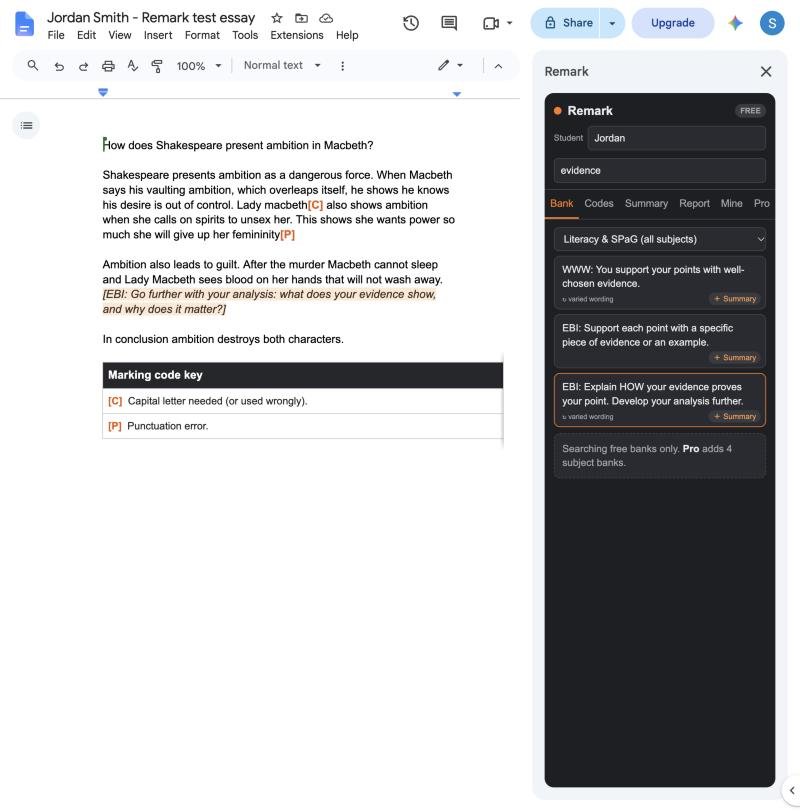
Remark sidebar inserting a highlighted feedback comment into a student essay in Google Docs

Everything you type over and over, ready to click

● Comment bank

Ready-made SPaG, WWW and EBI comments, searchable, with varied wording so 30 students don't get 30 identical comments.

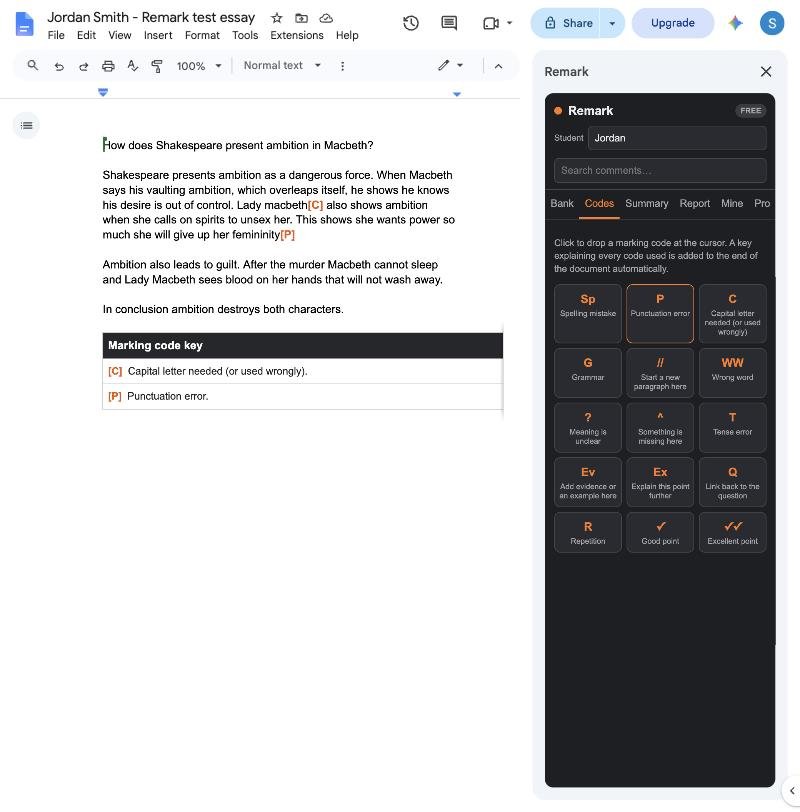
● Marking codes

Sp, P, C, G, //, Ev, Ex and more, in bold orange. A key explaining every code used appears at the end of the work and updates itself.

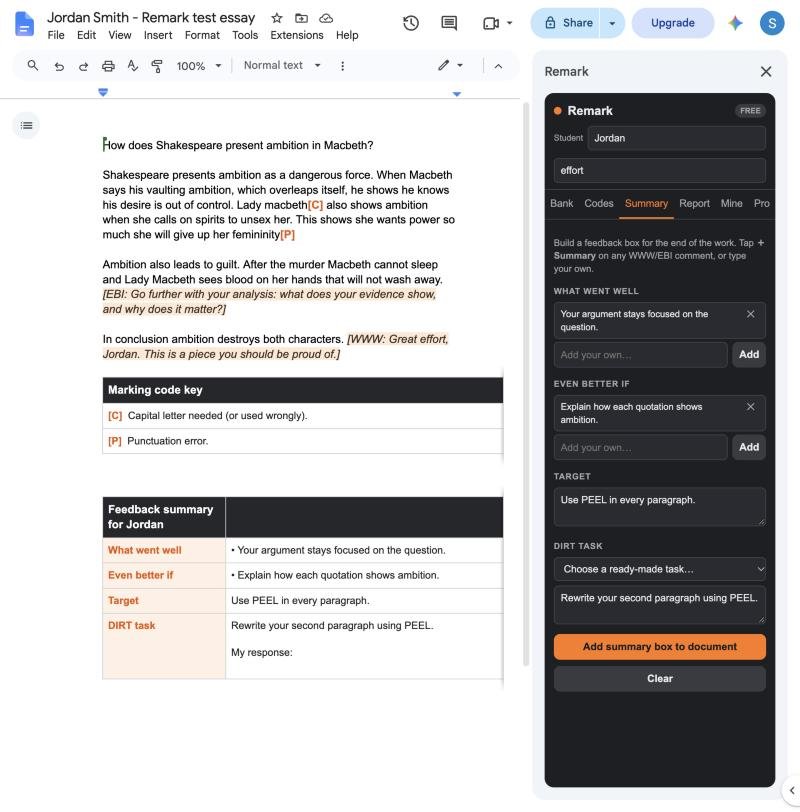
● Summary box

What Went Well, Even Better If, a target and a DIRT task in one tidy table, with a space for the student's response.

● Student names

Remark reads the name from the document title, so comments say “Great effort, Jordan” without you typing it.

● Your own comments

Save the comments you write most. Pro users can share a whole bank with their department in one line.

● Re-teach report

Pro shows which comments you gave most across a class set, so you know exactly what to re-teach.
Marking codes in a student essay with an automatic marking code key

Marking codes with a key that builds itself

Drop a code where the cursor is. Remark adds a key at the end of the document explaining every code you used, so students know exactly what to fix during DIRT time.

A feedback summary in seconds

Pick strengths and next steps from the bank or type your own, choose a DIRT task, and Remark adds a neat summary table addressed to the student.

Feedback summary table with What went well, Even better if, Target and DIRT task

Pricing

Free

£0
  • SPaG and WWW / EBI comment banks
  • 15 marking codes and automatic key
  • Summary boxes and DIRT tasks
  • Up to 15 of your own comments

Pro

£19 / year
  • Everything in Free
  • GCSE English, History, Science and Humanities banks
  • Re-teach report
  • Unlimited custom comments and bank sharing

Whole school

£99 / year
  • Pro for every teacher on your school's email domain
  • One payment, no per-seat admin

Licences last 12 months and do not renew automatically. Payments are handled securely by Stripe.

Get Remark

In Google Docs, open Extensions → Add-ons → Get add-ons, search for Remark and click Install. Then open any document and choose Extensions → Remark → Open Remark.

Don't use Google Docs? Download the free printable marking codes poster and comment bank (PDF).